 MrWorldwide
Find your places.
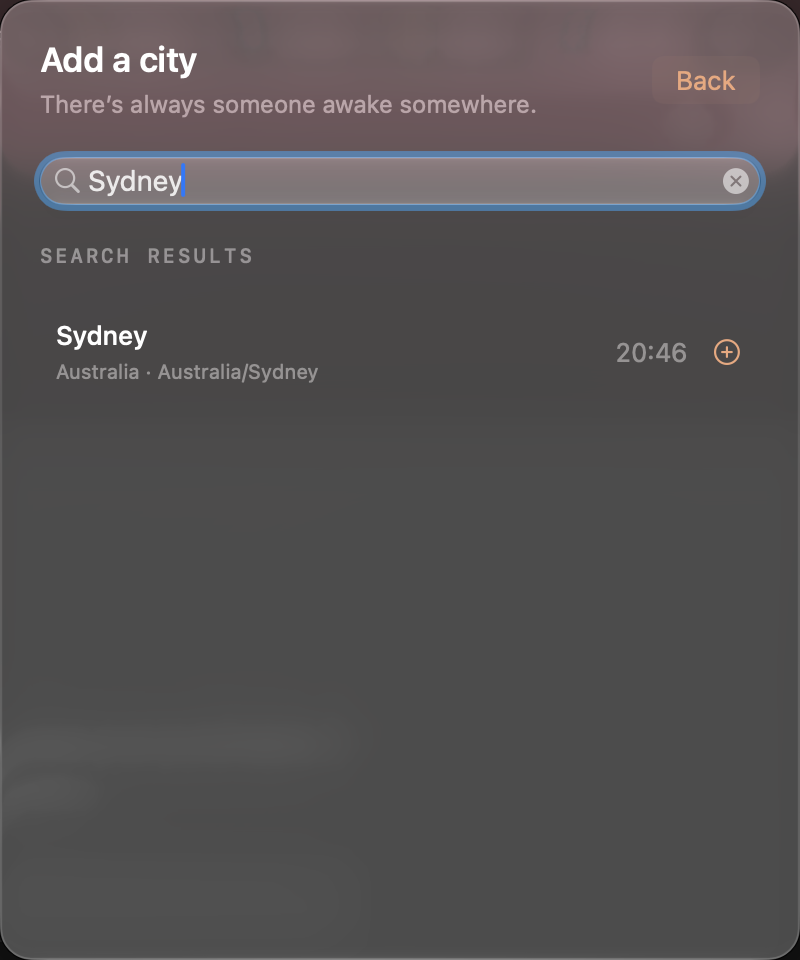
Find any city or time zone.
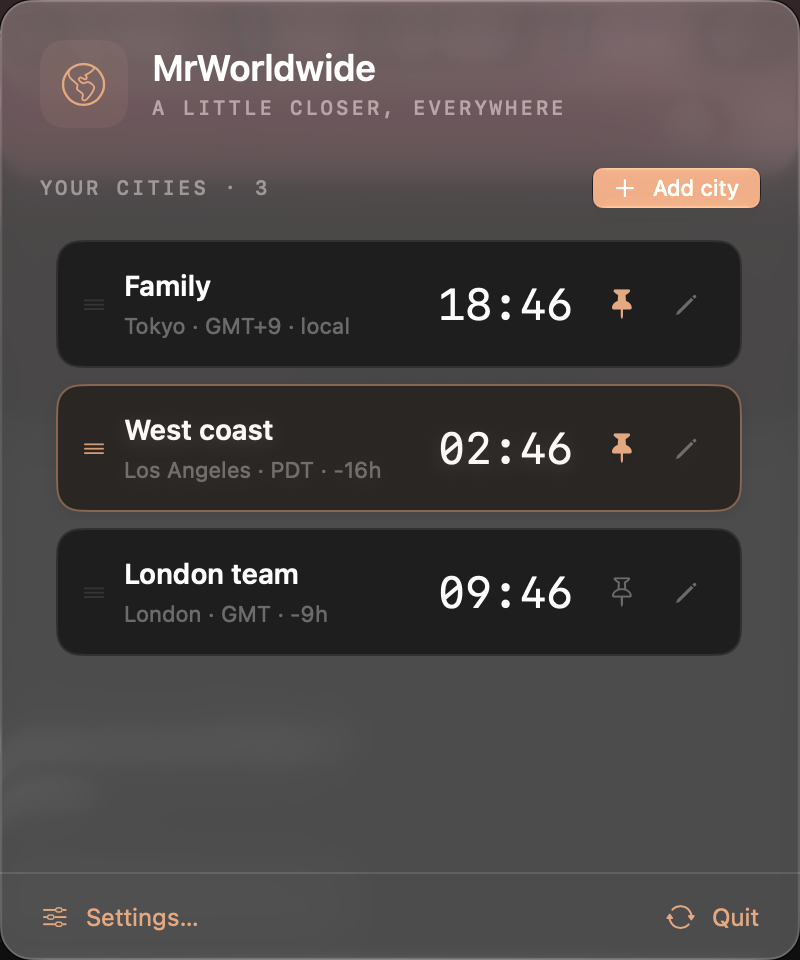
World clocks for Mac.
Your people’s time, right in your Mac’s menu bar.
Free forever · macOS 14+
Find any city or time zone.
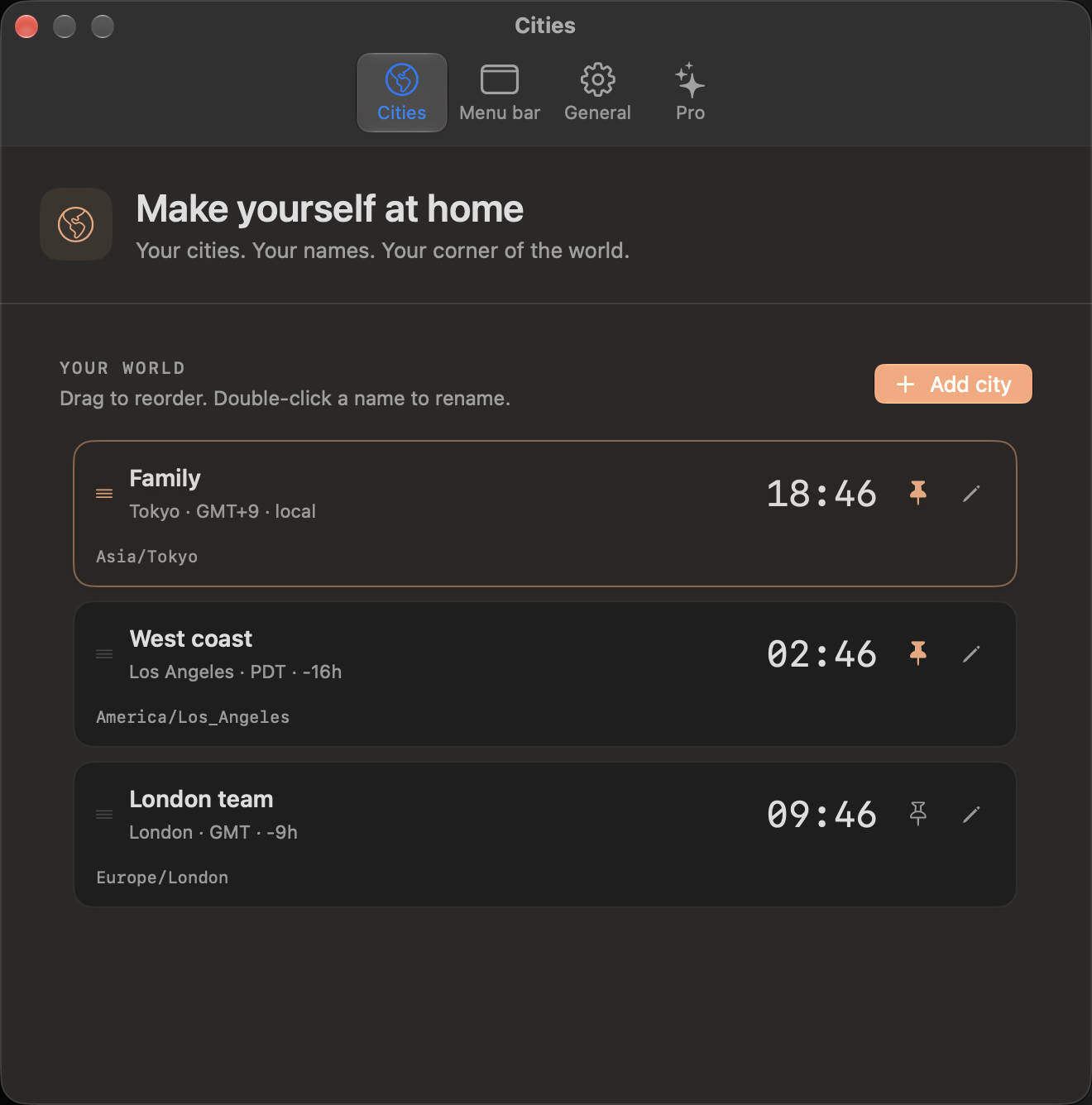
Name your clocks. Pin your favorites. Put them in your order.
Your favorite clocks in the menu bar. Every other city, one click away.
Set up your world clocks Local marker · Next release
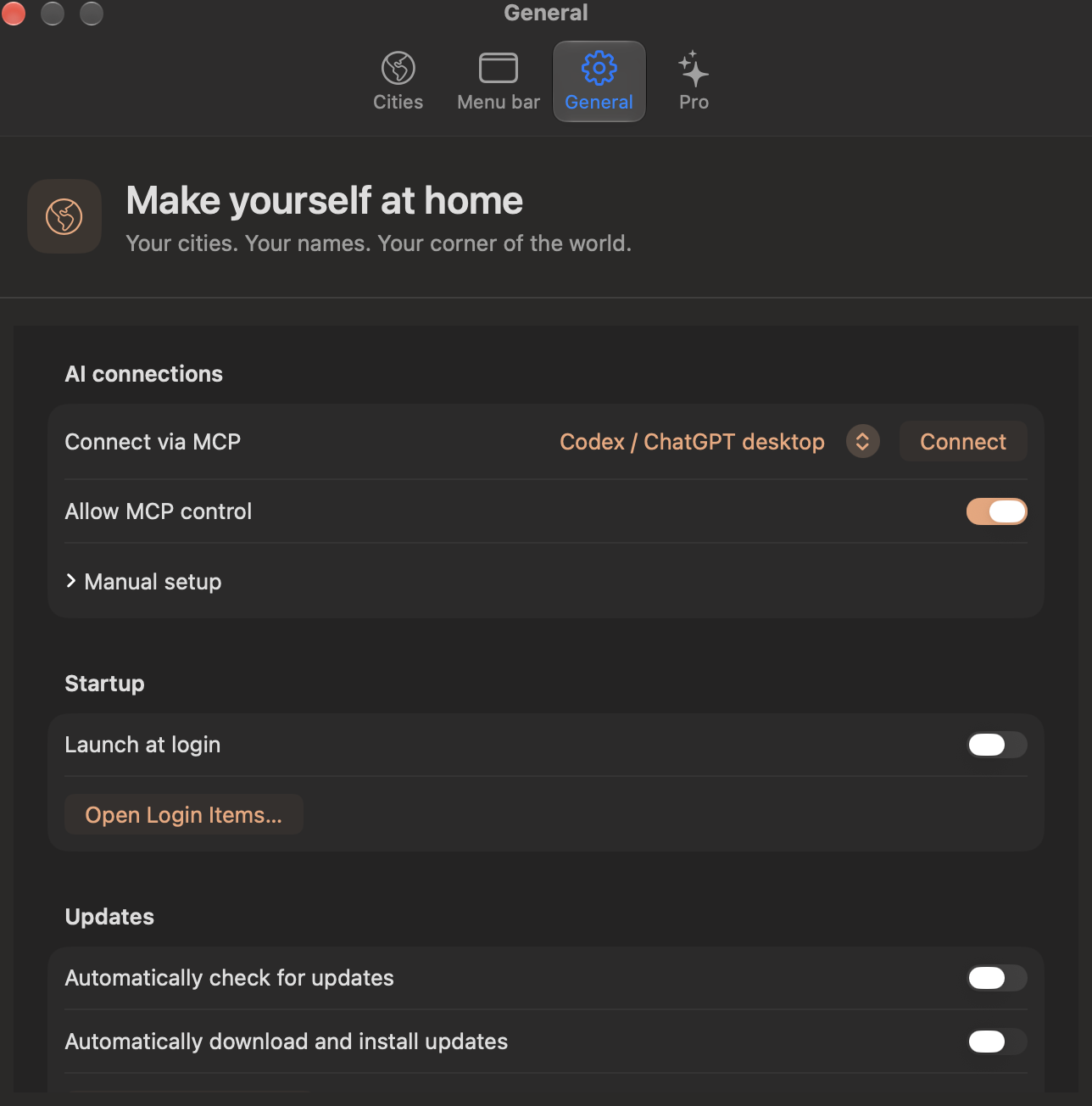
In development · MCP connections
Add cities, rename clocks and change preferences from your agent.
Pricing, at a glance
Free forever for two cities. Pro unlocks unlimited cities for $1 once, on two personal Macs.
Two cities are free. Pro unlocks unlimited cities for $1 USD once, on two personal Macs. Purchase and activate Pro from the app. There is no subscription.
The app targets macOS 14 or later and includes both Apple silicon and Intel code. Current acceptance testing was on Apple silicon; minimum-OS and Intel runtime checks remain outstanding.
Yes. Give a city a nickname, reorder the list, and pin the clocks you want in your menu bar. City times use the Mac’s time-zone database, including daylight-saving changes.
This is an early release. Clean-Mac installation, installed updates, and macOS 14 / Intel runtime testing remain outstanding. Current acceptance testing was on Apple silicon.
No. The free clocks work without a sign-in. A Pro purchase is handled by Polar, and a license key activates Pro on your Mac.