 Cache Crop
Developer storage, thoughtfully tended.
Git some
space.
Dependencies grow. Builds pile up. See what your Mac is holding onto, one project at a time.
Free basic scanning · macOS 14+ · Apple silicon & Intel
Preview release. No files are deleted.
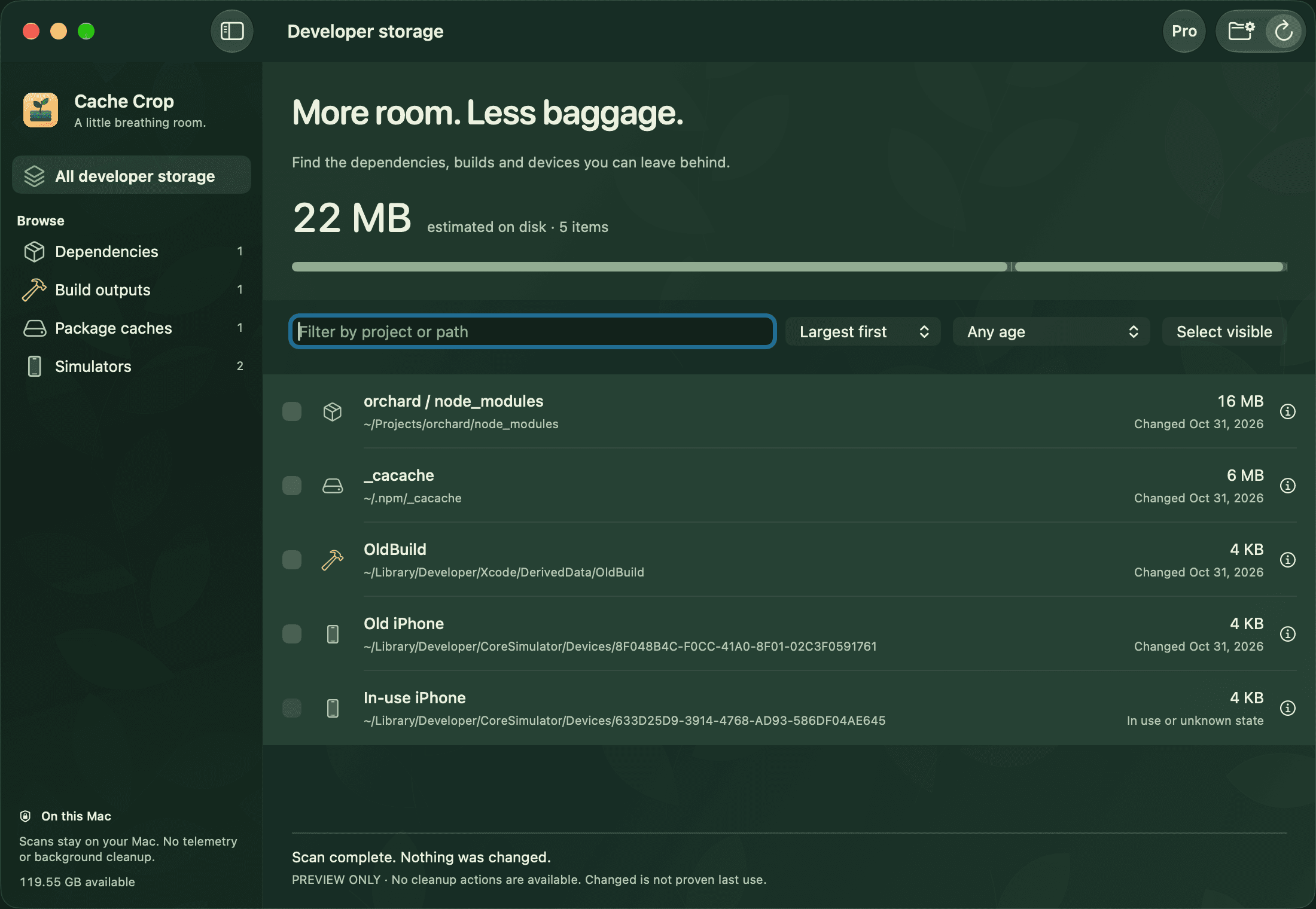
See the forest.
And the folders.
Find node_modules, Next.js builds, SwiftPM and Rust outputs, package caches, Xcode DerivedData and simulator devices. Start with the largest items and narrow the list by project or path.
Take your first scanA little context.
A clearer decision.
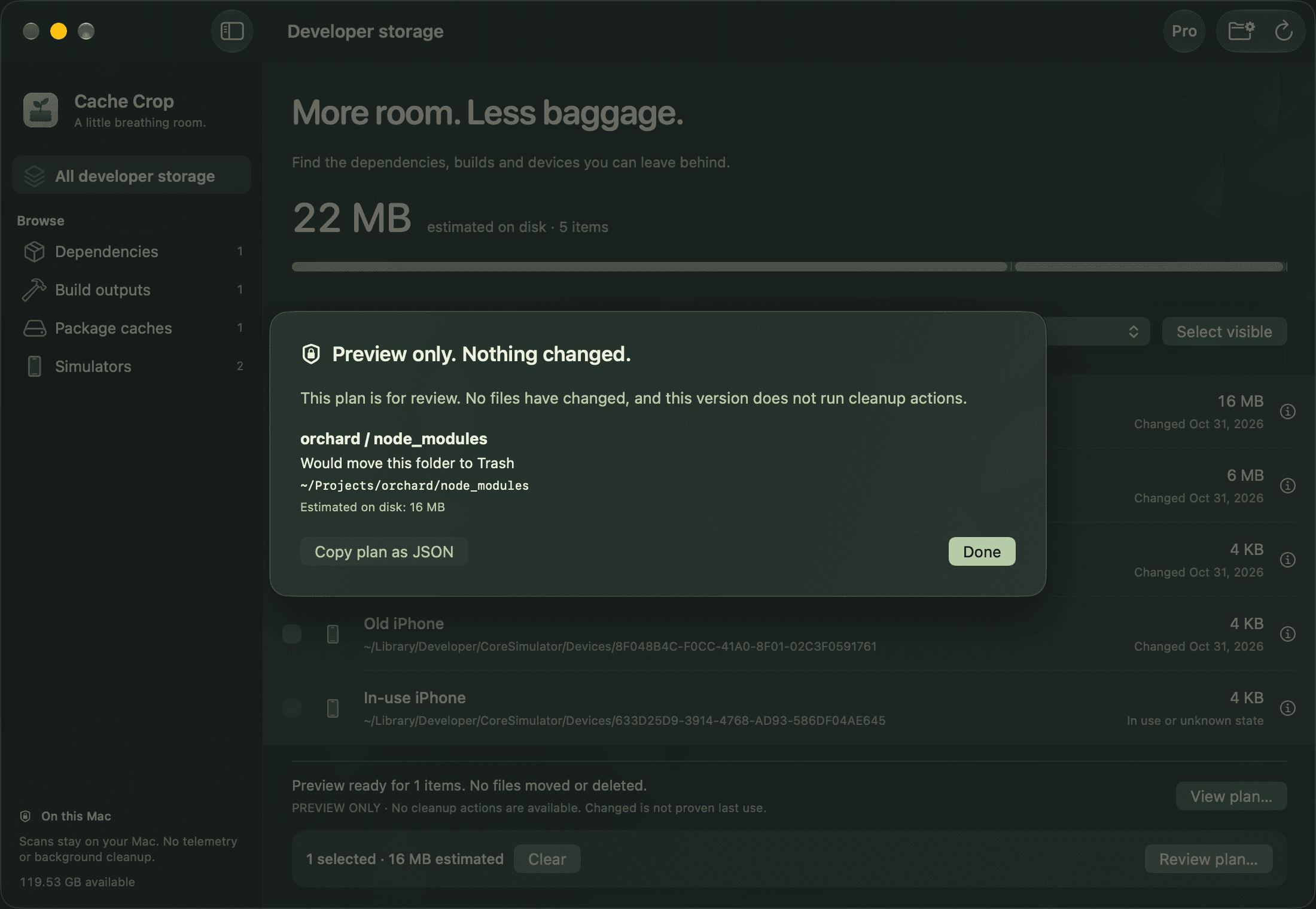
Check a folder's last change, see how its contents can be rebuilt, and mark anything you want to keep. Pro makes a reviewable plan and JSON export. This version never performs cleanup.
Whole Git worktrees are not treated as disposable. Your source code may live there.
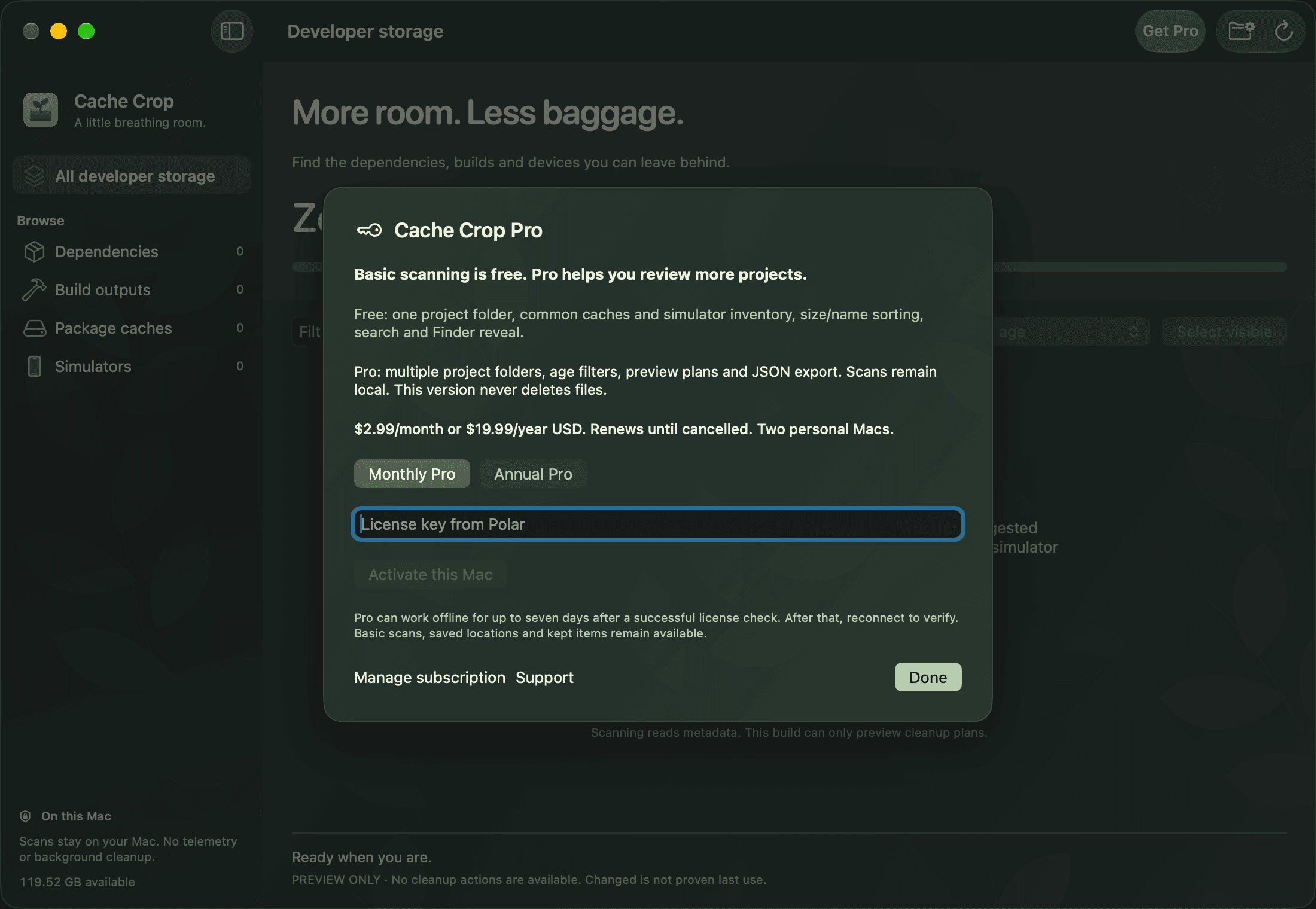
A useful free app. More room with Pro.
Start free. Grow when you need to.
Basic · Free
Scan one selected project folder, common developer caches and simulator inventory. Search, sort by size or name, keep items and reveal them in Finder.
Free basic scanning · macOS 14+ · Apple silicon & Intel
Preview release. No files are deleted.
Pro · $2.99/month or $19.99/year
Scan multiple project folders, filter by age, review read-only cleanup plans and copy them as JSON. For two personal Macs.
USD, plus any applicable taxes shown at checkout. Renews until cancelled. Pro requires an active subscription; cancel in the customer portal. Up to seven days offline after a successful license check. Basic scanning and your local settings remain available when Pro ends.
Both tiers are preview-only in this release. Neither performs cleanup, moves files to Trash or erases simulators. A plan is a review aid, and its byte counts are estimates.
Questions about Cache Crop
Will it delete anything?
No. This release reads storage metadata and previews proposed cleanup actions. It has no file deletion, Trash or simulator erasure executor. You remain responsible for any manual cleanup you choose to perform.
Does last changed mean last used?
No. Folder modification times are hints, not proof of last use. Simulator boot metadata is shown only when available. Unknown or running simulators stay protected.
Does it scan my Git worktrees?
You can select a worktree as a project location. Cache Crop finds supported dependencies and build outputs within it; it does not classify the entire worktree or your source code as disposable.
How private are scans?
Scan results, paths and kept items stay on your Mac. No telemetry or storage inventory is uploaded. Optional Pro licensing contacts Polar; manual update checks contact bynoaa.com. See the product privacy page for details.
What happens when I cancel Pro?
Pro remains tied to your active subscription. After it ends and the license is checked, Pro tools stop; basic scans, your selected locations and kept items remain. Offline verification has a maximum seven-day grace after the last successful check.